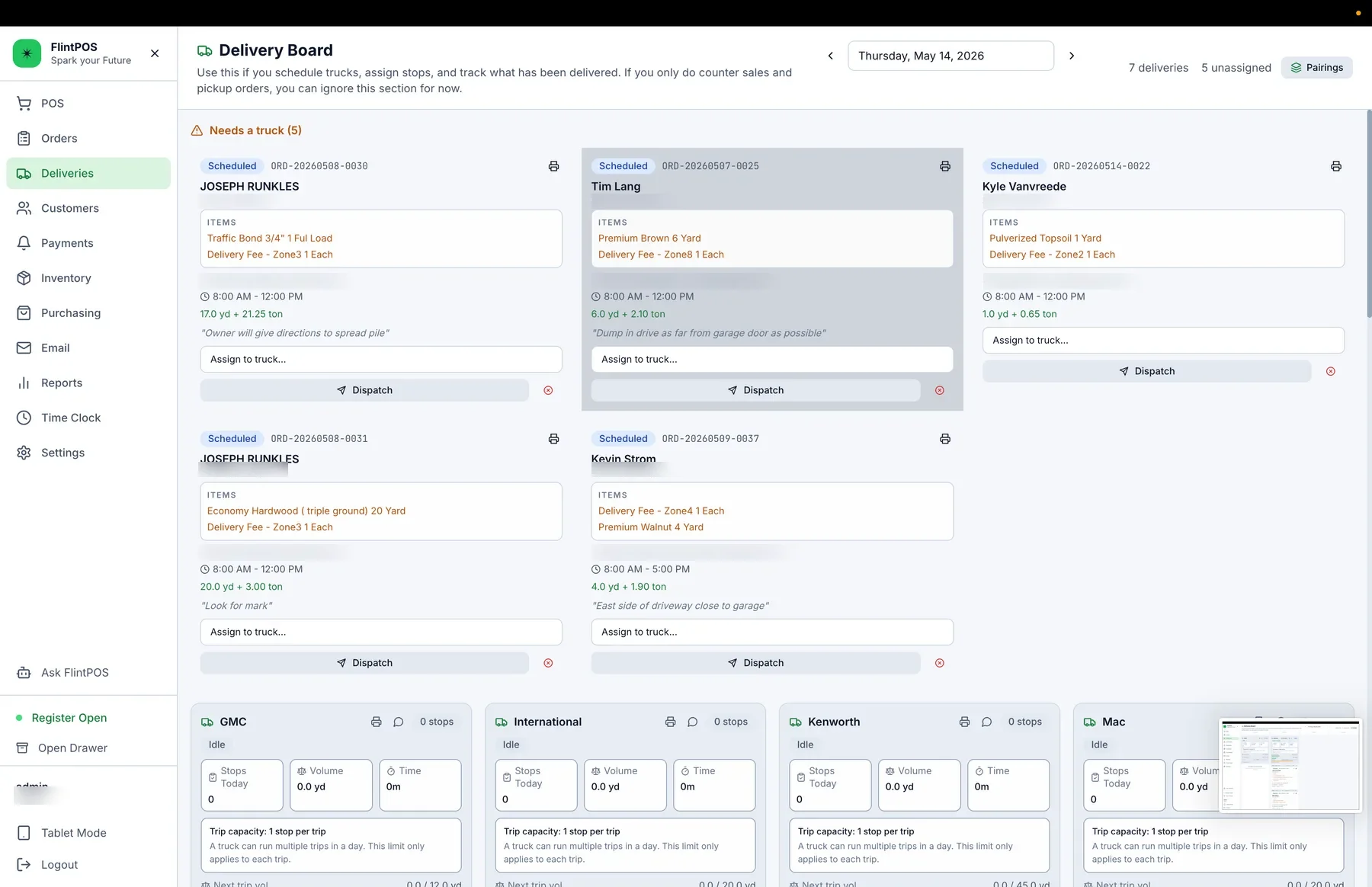
Generic POS systems leave dispatch outside the system
A typical POS creates the order and receipt. Staff then copy delivery details to a whiteboard, paper sheet, calendar, or spreadsheet. Dispatchers must cross-check which orders are paid, loaded, dispatched, delivered, or waiting for a truck.
Separate dispatch also hides capacity. Staff may leave truck time open or overload the day, which can create late deliveries and customer callbacks.
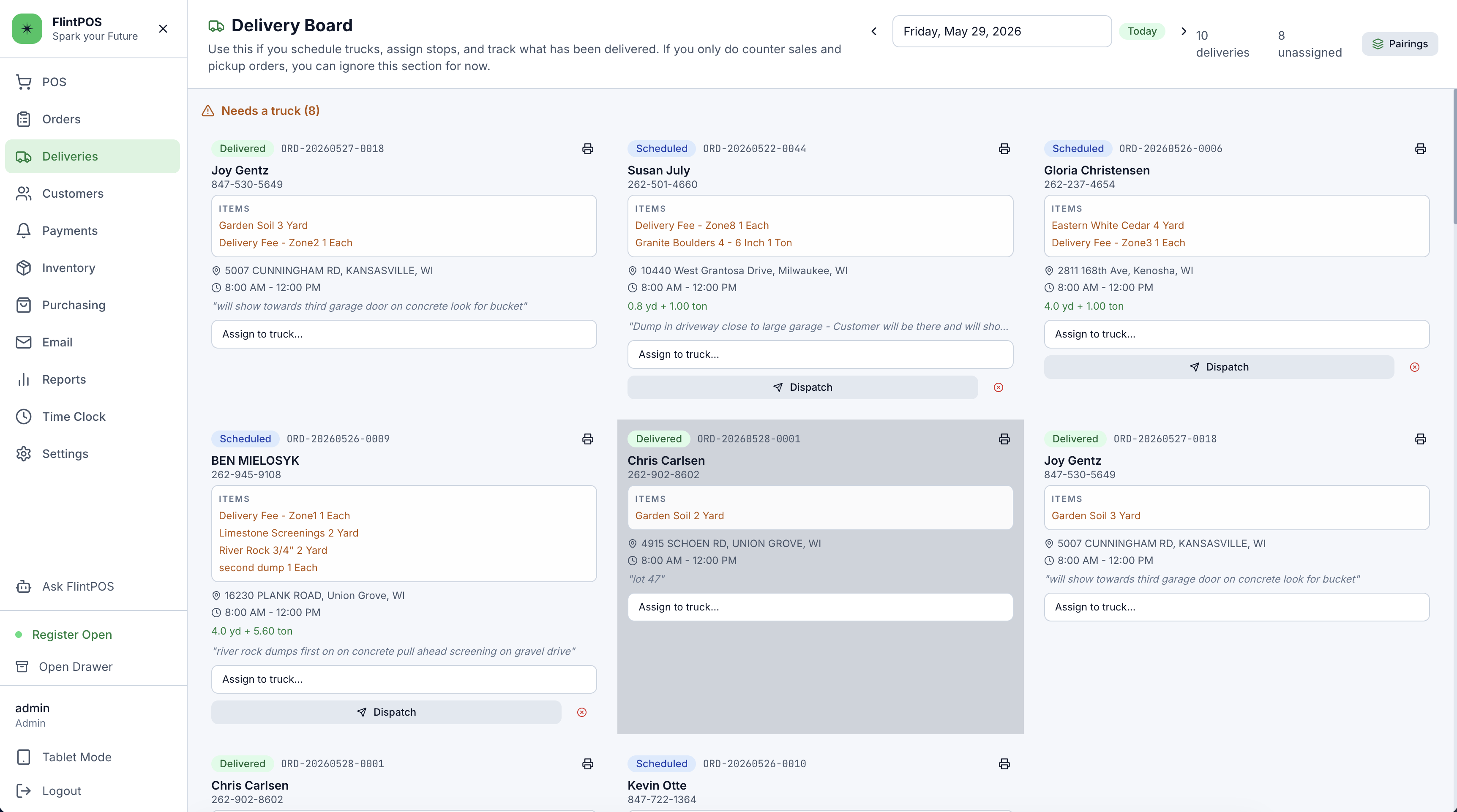
FlintPOS tracks delivery status, capacity, and time budget
The FlintPOS delivery board shows scheduled and unassigned deliveries by truck and date. It tracks active deliveries, truck assignment, route readiness, route review issues, blocked routes, and delivered counts.
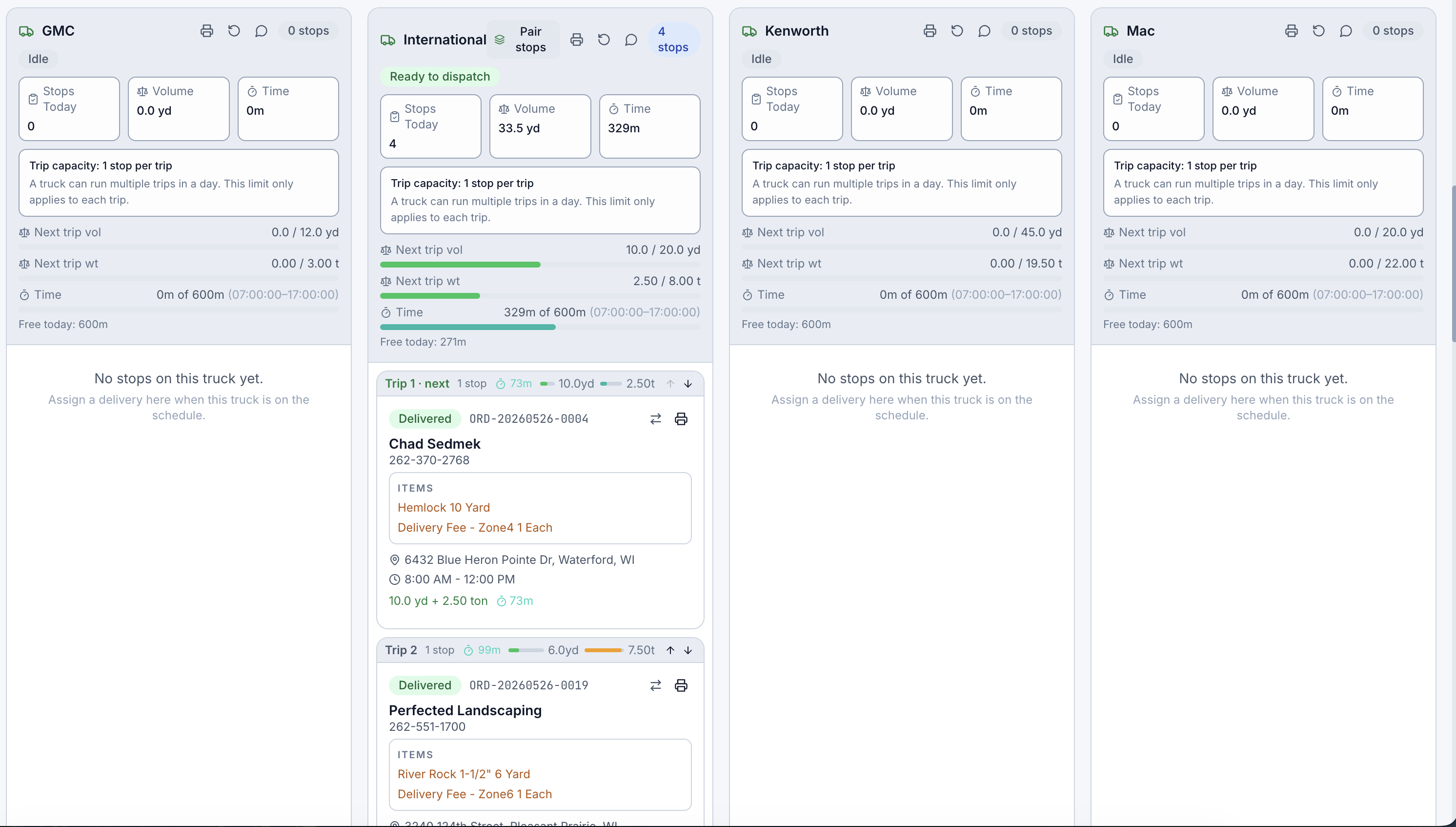
The board supports paired stops, route order, dispatch actions, back-at-yard resets, driver sheets, truck manifests, and live updates. Dispatchers can see how much work fits before assigning another order.
Drivers update the same order
Drivers can open their portal on a phone, see their assigned stops, mark orders loaded, dispatch the route, open maps, call the customer, collect COD, charge a card through supported processors, capture a jobsite photo, collect a signature, and mark the delivery complete.
FlintPOS saves proof photos and signatures on the order record. Office staff can answer customer questions without chasing paper or asking the driver for a picture.
Use open truck time before the day fills
Dispatchers can book available time when they can see route readiness, capacity, and each truck's status. They spend less time rebuilding the schedule by hand and can avoid missed windows caused by overloaded routes.
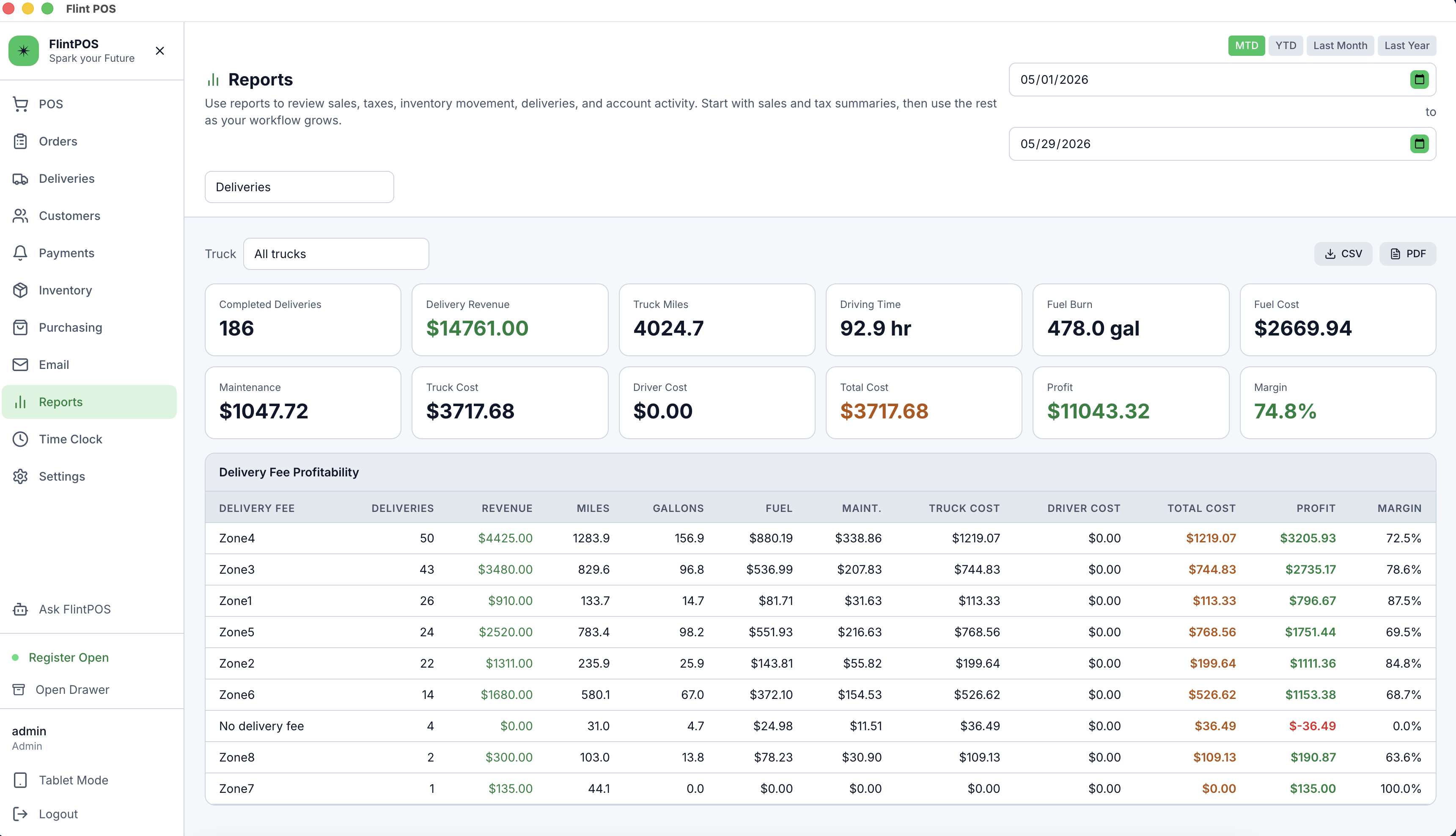
FlintPOS connects the counter sale, delivery schedule, driver workflow, payment collection, and proof of delivery into one operational path.
Manage the work after the sale
FlintPOS carries the counter order into dispatch, the driver portal, field payment, and proof of delivery. Staff use one record from the counter to the jobsite.
Start Core Trial