The problem with one-rate POS tax
Generic POS systems often use one store tax rate. Landscape supply yards deliver across city and county lines, where the applicable jurisdiction may change from one jobsite to the next.
A jobsite can sit in a different tax jurisdiction from the store. Staff using a store-only POS must override rates, create duplicate tax buttons, keep handwritten notes, or repair the records in a spreadsheet.
FlintPOS stacks tax records by jurisdiction
FlintPOS supports active tax records for state, county, and municipality levels. It resolves the possession location and sums the matching rates.
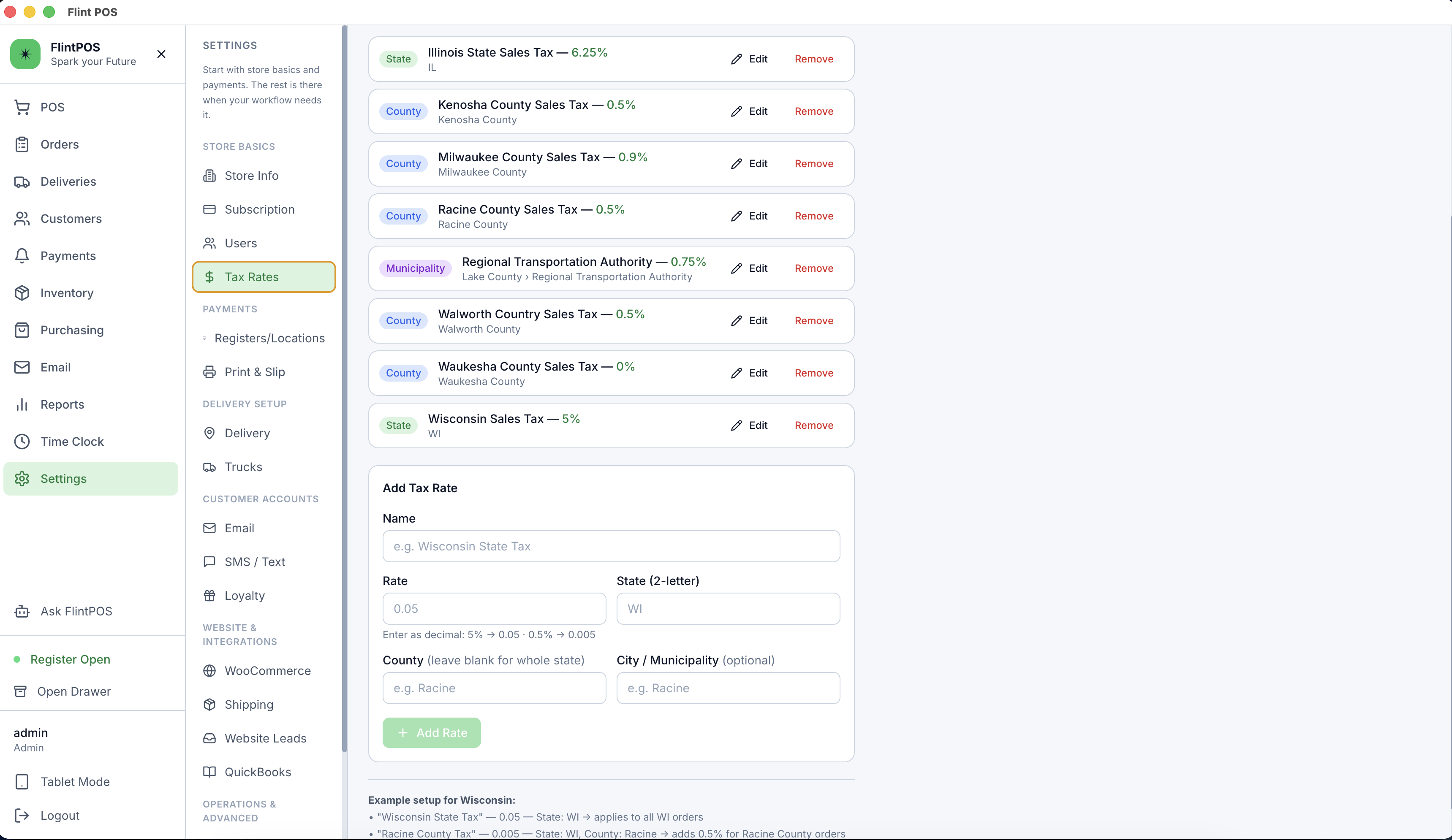
FlintPOS stores tax lines on the order. Receipts, customer displays, order emails, and reports can show the tax breakdown.
Staff can update a delivery address after a quote or destination change. FlintPOS recalculates item taxes from the new jurisdiction.
Keep the jurisdiction with the order
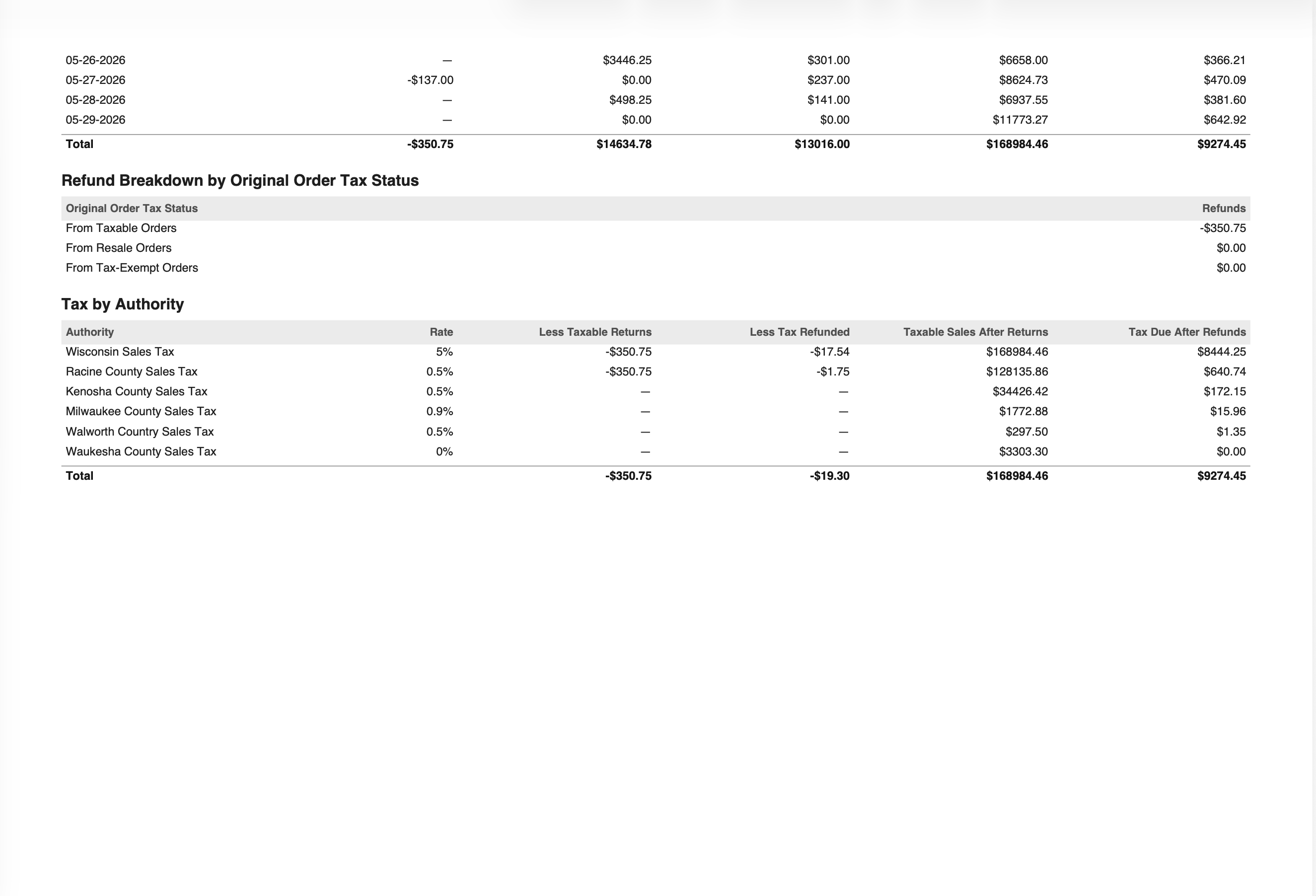
The office needs the original jurisdiction when filing tax returns. Without order-level tax records, staff must reconstruct each delivered sale.
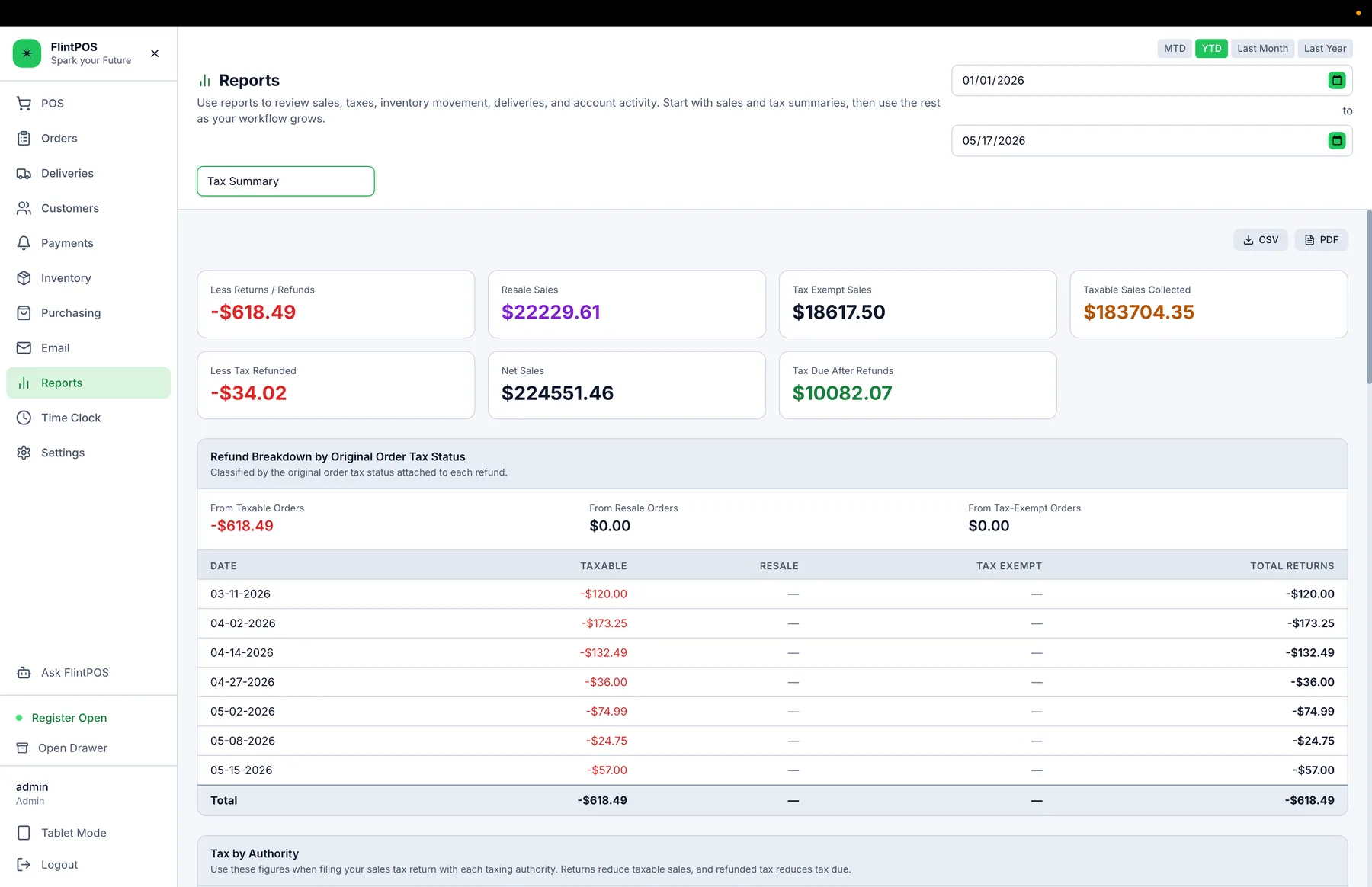
FlintPOS stores the sale state, county, and city on the order and uses its tax lines for reporting. Staff can review taxable sales, refunds, and tax due by authority.
Calculate from the possession location
Yards that cross tax boundaries need the delivery address, applicable rates, and tax lines on the order. FlintPOS carries those details from checkout into reporting.
Start Free Trial